

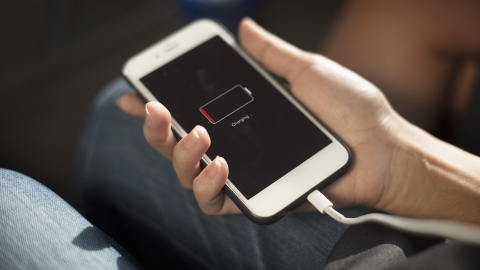
Poor battery life is one of the most common problems smartphone users face. Whether your phone struggles to last through the day or the battery health declines over time, a few simple settings can make a noticeable difference. Most Android phones, including devices running Android 16, offer built-in features that help reduce power consumption without affecting everyday use.
1. One of the best ways to extend battery life is by adjusting your display settings. The screen is the biggest source of battery drain, so lowering the brightness or enabling Adaptive Brightness can significantly reduce power usage. You should also shorten the screen timeout so the display turns off quickly when the phone is idle. If your phone has an Always-on Display feature, disabling it can save additional battery because the screen no longer remains partially active. Turning off the screen saver is also recommended, as it prevents unnecessary power consumption when the device is not in use.
2. Switching to Dark Mode is another effective way to improve battery life, especially on phones with OLED or AMOLED displays. Dark Mode uses less power because black pixels require less energy, and many users also find it more comfortable for viewing at night.
3. Many smartphones offer high refresh rates, such as 90Hz or 120Hz, which make scrolling and animations appear smoother. However, these higher refresh rates consume more battery. Reducing the refresh rate to the standard setting can help your phone run longer on a single charge while still providing a smooth experience for everyday tasks.
4. Wireless connections such as Bluetooth, GPS, NFC, and location services continue using power even when they are not actively needed. Turning off these features whenever you are not using them helps reduce unnecessary battery drain and improves overall efficiency.
5. Applications running in the background are another major cause of battery loss. You should regularly check your phone’s battery usage menu to identify apps that consume excessive power. Restricting background activity for unnecessary apps and uninstalling applications you no longer use can significantly improve battery performance and free up storage space.
6. Most modern smartphones include a Battery Saver mode that automatically limits background processes, reduces performance, and disables non-essential features to extend battery life. You can enable this mode manually or configure it to activate automatically when the battery reaches a specific percentage, such as 20%, ensuring your phone lasts longer when power is running low.
7. Keeping your phone updated is equally important. Software updates often include battery optimizations, bug fixes, and security improvements that enhance overall efficiency. Restarting your phone once a week also helps clear temporary processes and keeps the operating system running smoothly.
By following these seven simple tips, you can extend your smartphone’s battery life, reduce unnecessary power consumption, and improve long-term battery health without installing any additional apps.