
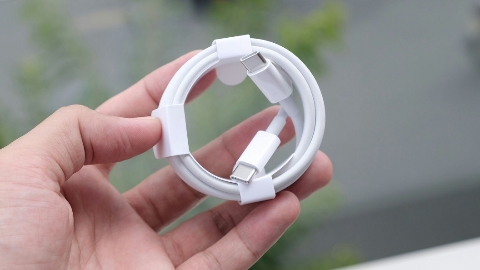
If you have a drawer full of USB-C cables, you have probably noticed that they all look almost identical. However, their capabilities can be very different. Some cables only support charging, while others can transfer data at high speeds, output 8K video, and deliver much higher power. To solve this problem, a free macOS application called WhatCable allows Mac users to check the real capabilities of any USB-C cable. Instead of guessing which cable to use, the app shows exactly what each cable can do.
What Is WhatCable?
WhatCable is a free application for macOS that turns your Mac into a USB-C cable tester. It analyzes a cable while it is connected and displays its actual performance in simple, easy-to-understand language. The app can test a cable while it is being used or by connecting it between two USB-C ports on a compatible Mac.
What Can the App Detect?
The free version of WhatCable can identify several important cable features, including:
- Maximum data transfer speed.
- Video output capability.
- Maximum power delivery (charging).
- USB-C cable vendor information.USB-IF certification status.
- Whether the cable, charger, or Mac is limiting charging speed.
- Whether a connected monitor is running at its maximum resolution and refresh rate.
The app converts technical information into plain English, making it easy for anyone to understand.
Why USB-C Cables Are Confusing
Although USB-C cables look the same, they can have completely different specifications.
A premium cable may support:
- Up to 40Gbps data transfer.
- 8K 60Hz video output.
- Up to 240W power delivery.
Meanwhile, a basic cable may only support charging or data speeds of just 480Mbps.
Because there is no easy way to identify these differences by appearance, many users unknowingly use slower cables than necessary.
USB-IF Certification
WhatCable can also read the identification chip built into many USB-C cables.
This helps users determine:
- The cable manufacturer.
- Whether the cable is certified by USB-IF.
However, a cable without USB-IF certification is not always fake. Some manufacturers simply choose not to pay the certification fee.
What Does the Pro Version Offer?
The free version provides all the essential information most users need.
For users who want advanced diagnostics, WhatCable Pro offers:
- Live USB Power Delivery negotiation details.
- Charging profile analysis.
- Detailed connection diagnostics.
- Complete explanation of charging and data transfer decisions.
The Pro version is available through a one-time purchase for £9.99 (approximately $13.40).
Early Testing
According to testing by The Verge, WhatCable performs well in most situations. However, the publication noted that some USB-C cables may incorrectly report their capabilities, meaning results are not always perfect.
WhatCable is a useful free utility for Mac users who want to identify the real capabilities of their USB-C cables. It removes the guesswork by showing charging speed, data transfer performance, video support, certification status, and other important details in a clear and user-friendly format.